📍
Save places you want to visit
Create a personal travel wishlist with destination details, best months, activity tags, and flight-length info.
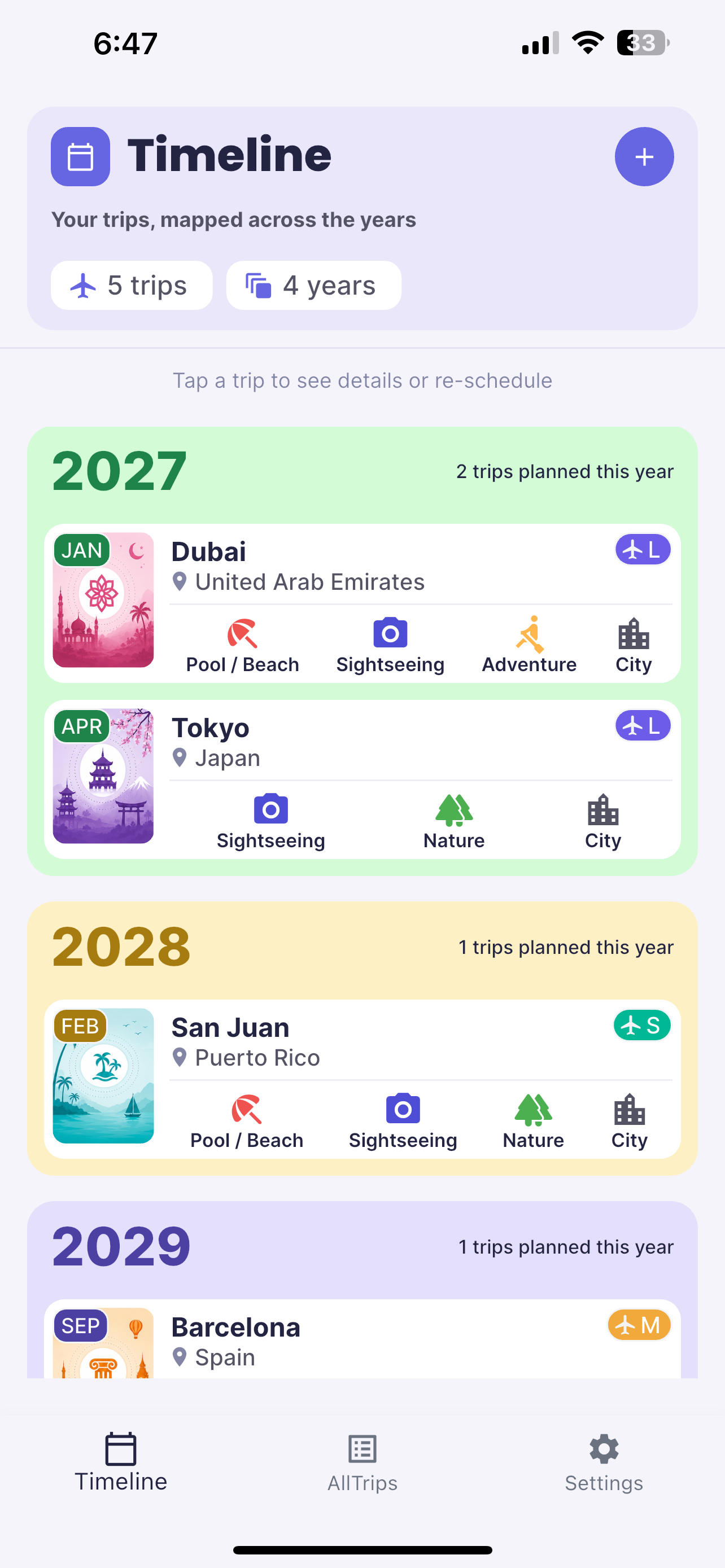
MyTravelQ helps you save destinations, organize them by month and year, and build a travel timeline you can actually look forward to.
Instead of keeping scattered ideas in notes, tabs, or your head, MyTravelQ brings future trips into one simple planning flow.
Create a personal travel wishlist with destination details, best months, activity tags, and flight-length info.
Move destinations onto your timeline by assigning a month and year—ideal for birthdays, seasons, and long-term ideas.
Filter by status or flight length and quickly narrow your list when you’re deciding what fits next.
A clean interface, soft color palette, and focused screens keep travel planning simple without losing useful detail.
The Timeline gives you a bigger-picture view of upcoming travel so you can spread out ideas, compare seasons, and see what’s coming next.
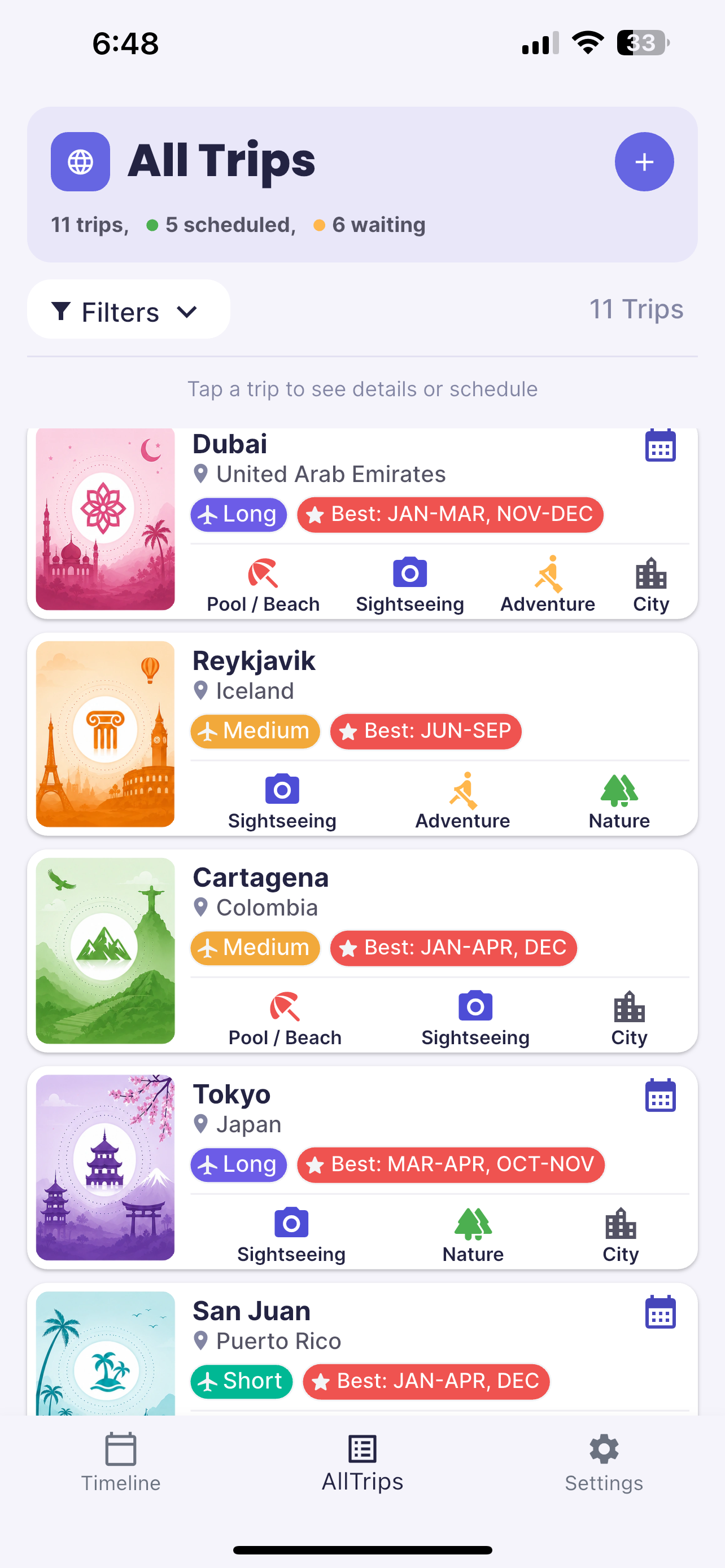
Browse your saved destinations, see quick trip details, and manage your travel ideas from a single organized list.
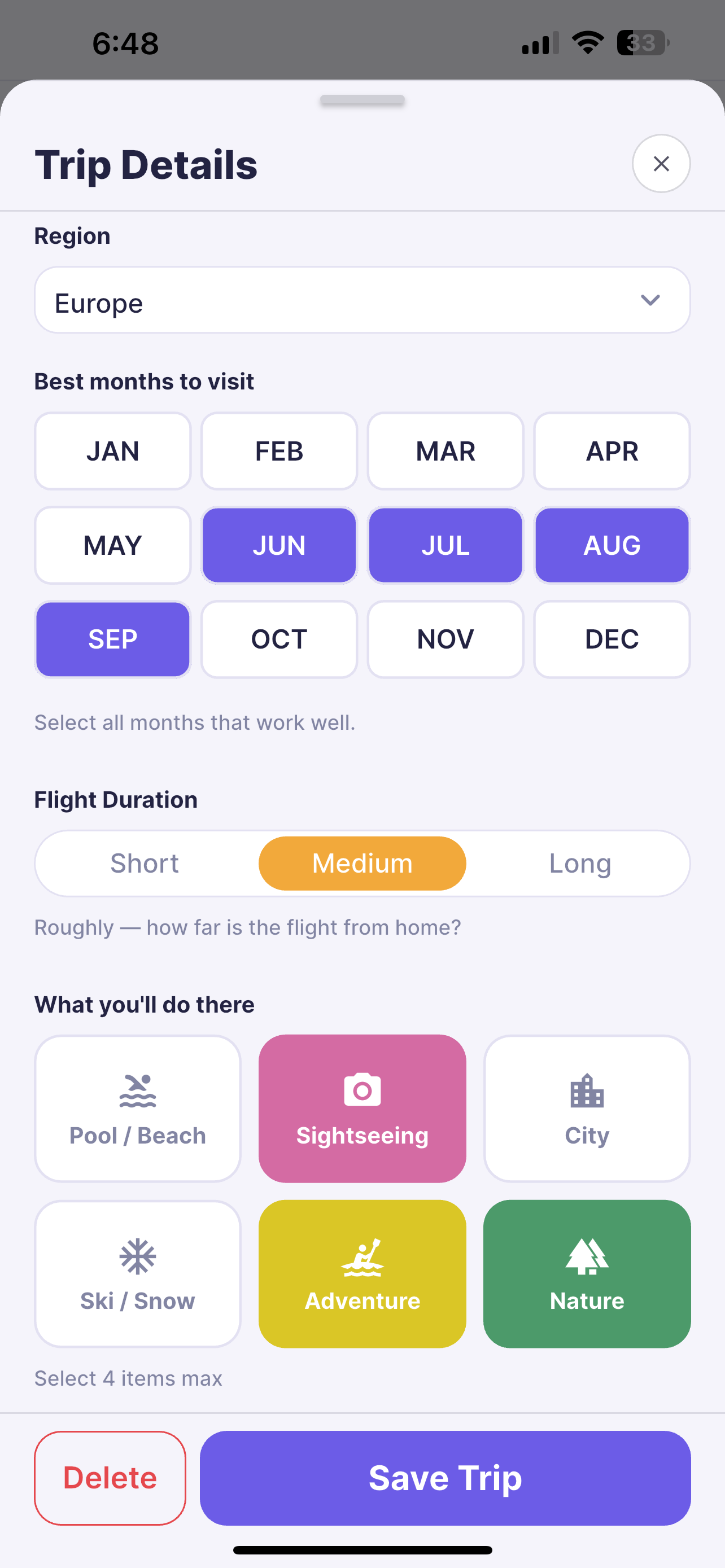
Add notes, assign best months, set trip length, and choose activity tags so every destination feels tailored to you.
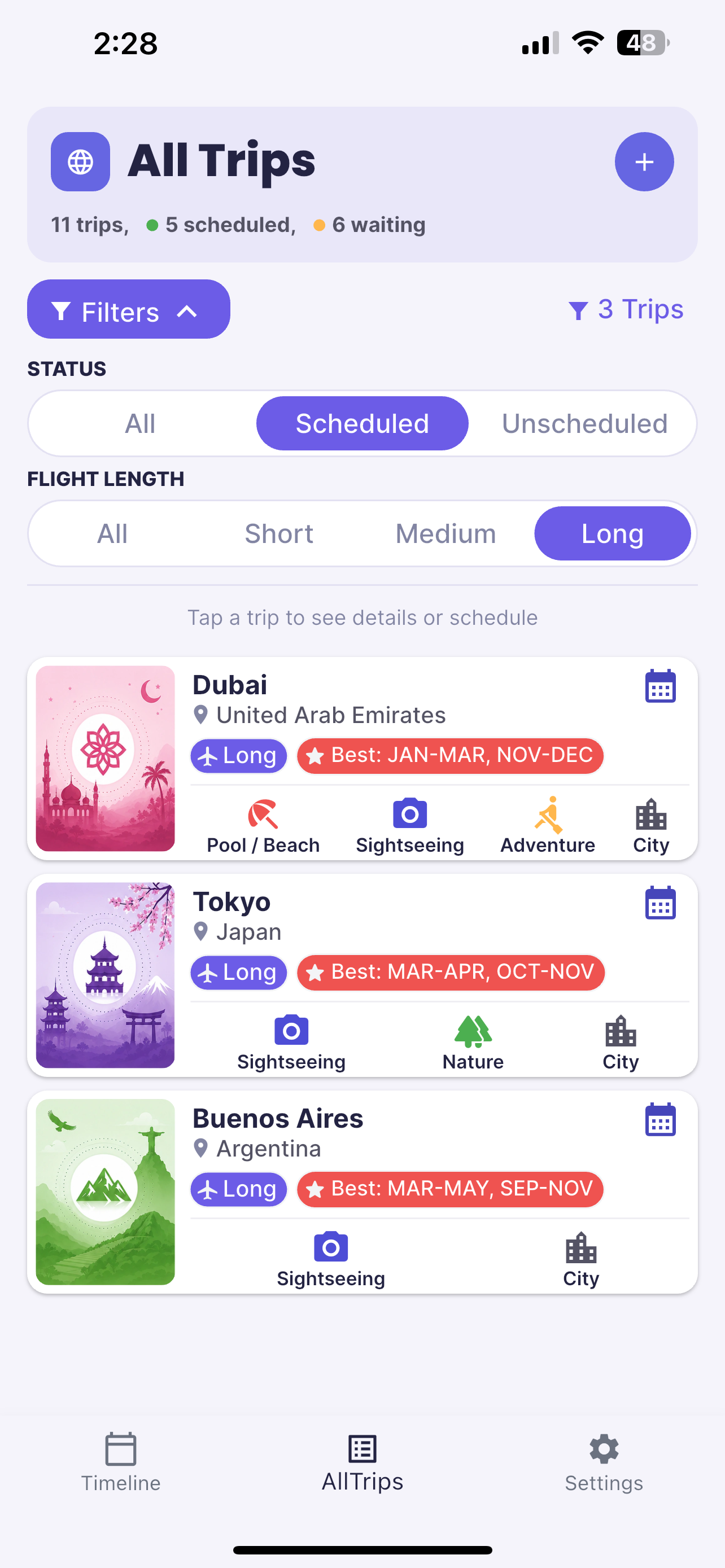
Add a destination to your wishlist first, then assign a month and year when you’re ready to place it on your timeline.
MyTravelQ is designed to help you move from inspiration to an actual travel plan without unnecessary complexity.
Save interesting destinations and capture the details that matter to you, from best travel months to trip type.
Filter and review your saved trips to decide what works best for the season, your schedule, or your travel style.
Assign a month and year so your ideas become a visible future plan you can keep building over time.
For help with MyTravelQ, feature questions, or privacy-related requests, contact Dashspace and we’ll be happy to help.